First Steps
Introduction
This page walks through how to run a simple back test using roboquant.
A back test is a simulation of a trading strategy using historical data. It lets you evaluate how the strategy would have performed in the past and can help surface potential issues before you risk real money.
The core pieces of any roboquant run are:
Feed – provides historical or live market data.
Strategy – decides when to buy and sell based on that data.
Trader – turns the strategy’s signals into actionable orders.
Broker – executes those orders against a simulated (or real) account.
Roboquant also supports more advanced features, including live trading, paper trading, multi-asset trading, and multi-currency trading. This page, however, focuses on the fundamentals of back testing so you can get started quickly.
Import
We always start with the import of the roboquant package. This package contains all the classes and functions that we need to run a back test.
import roboquant as rqYou can check the version and other information about the installed roboquant package by running the following command:
rq.info() _______
| $ $ | Roboquant v2.9.5.dev1
| o | Python v3.12.3
|_[___]_| Linux v6.17.0-1022-azure
___ ___|_|___ ___
()___) ()___)
/ / | | \ \
(___) |_________| (___)
| | __/___\__ | |
/_\ |_________| /_\
// \\ ||| ||| // \\
\\ // ||| ||| \\ //
()__) ()__)
/// \\\
__///_ _\\\__
|______| |______|
Get the Data
For a back test we’ll need historic data. Roboquant uses the concept of a Feed to provide this data. There are several Feed providers included, like the Yahoo Finance one used in this example.
It is free to use without an API key and provides data for a large number of stocks, ETFs, indices and more. The data is provided in the form of Bars, which contain the open, high, low and close prices for a given time period.
feed = rq.feeds.YahooFeed("TSLA", "MSFT", "GOOG", start_date="2010-01-10")When we have the feed we can plot the data to see what it looks like. The plot method takes a symbol as an argument and will plot the price of that symbol over time. It can help to get a better understanding of the data we are working with and detect any anomalies or outliers in the data.
feed.plot("TSLA");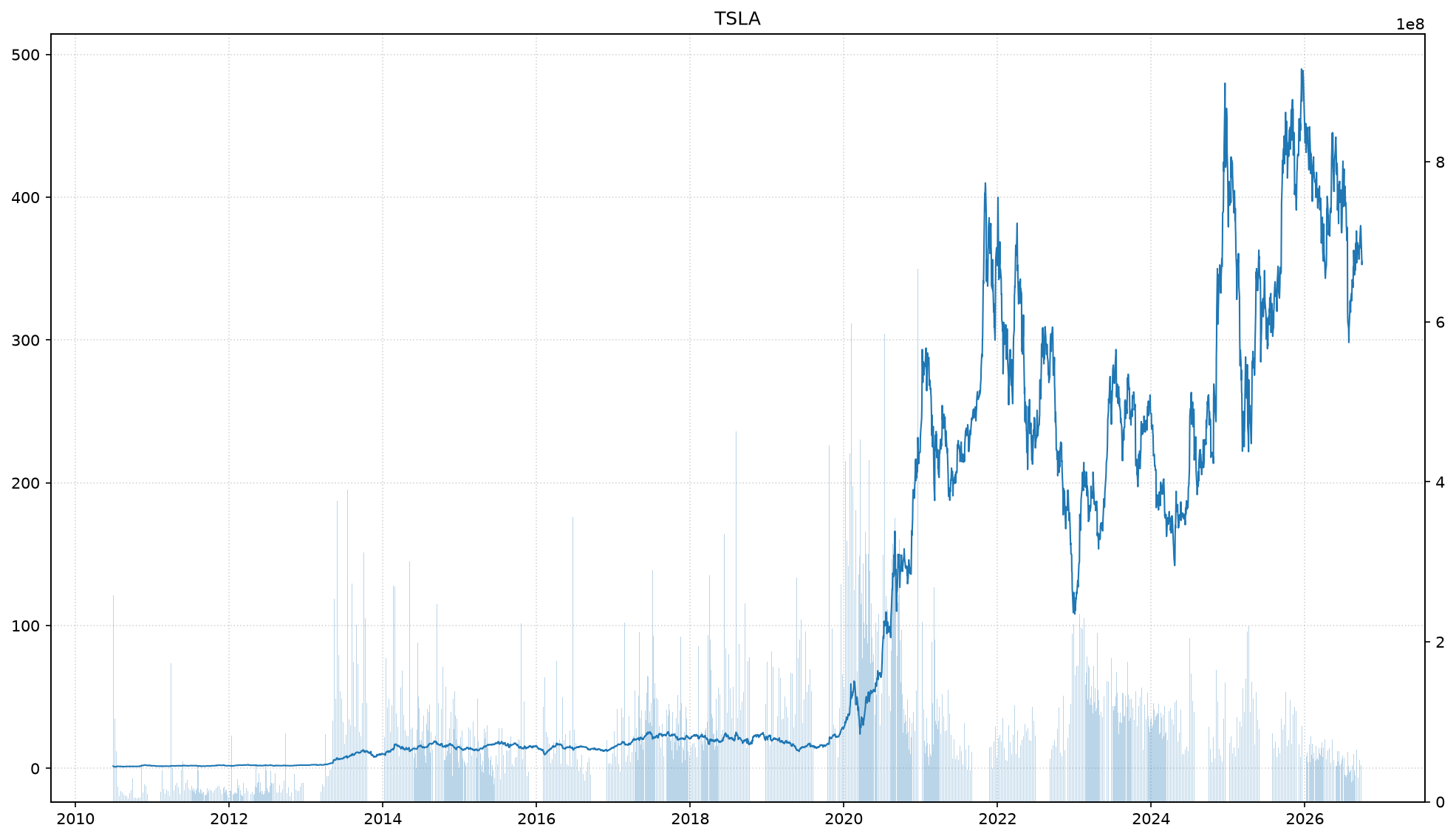
Define the Strategy
A strategy is the core of any back test. It defines the rules for when to buy and sell an asset. In this example we use an Exponential Moving Average Crossover strategy, which is included in roboquant out of the box.
But normally you would create your own strategy by subclassing the Strategy class and implementing the generate_signals method. This method creates signals with ratings based on the data provided by the feed. These signals are then used to create orders by a Trader, which are executed by the Broker.
strategy = rq.strategies.EMACrossover()Run the Back Test
Now we can run the back test using the feed and strategy we just created. The run function takes many different parameters, making it suitable from back testing all the way to live trading. In this example we only provide the feed and strategy and leave the other parameters to their default values.
The result of the back test is an Account object, which contains all the trades that were executed during the back test and various other trading account related information.
account = rq.run(feed, strategy)
print(account)
buying power : 6,927,102@USD
cash : 6,927,102@USD
equity : 22,179,660@USD
positions : 16322@MSFT, 19602@TSLA
trades : 390
mkt value : 15,252,558@USD
orders : none
last update : 2026-09-30 04:00:00+00:00
Next steps
This page showed how to run a simple back test using roboquant. For each of the core components of a run, there are more advanced features available.
For example, you can create your own strategy, use a different feed provider, or use a different broker. You can also trade in different currencies at the same time, or use a different timeframes for the back test.